
Updating the firmware of this machine
Overview
A firmware for this machine can be downloaded from the Internet to update the machine firmware.
You can keep using the machine even while downloading a firmware.
To download a firmware for this machine from the Internet and update the machine firmware, follow the below procedure.
The firmware must be updated by your service representative. For details, contact your service representative.
Prepare for downloading a firmware
Configure the proxy server setting, and specify the time to automatically download a firmware.
For details on configuring the setting, refer to Here.
Update the firmware of this machine
Preparing for downloading a firmware
Configure the settings for downloading a firmware to this machine.
You can download it either via FTP or HTTP. Configure the appropriate settings to suit your environment.
In the administrator mode, select [Network] - [Internet ISW Settings] - [Proxy Settings], then configure the following settings.
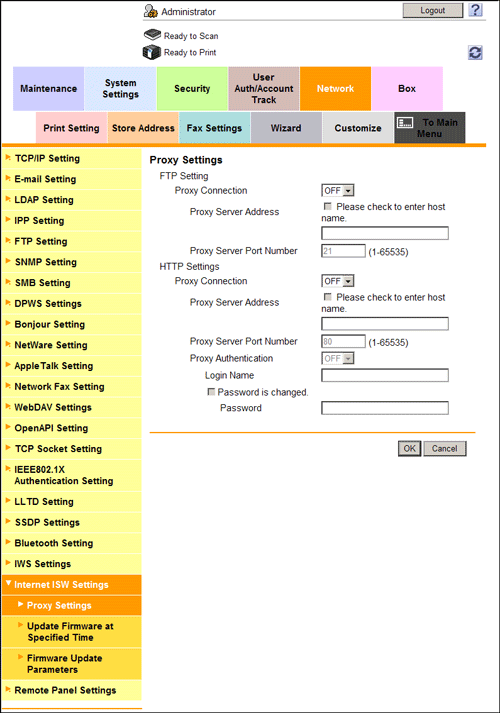
Settings | Description | |
|---|---|---|
[FTP Setting] | Configure the settings for downloading a firmware via FTP. | |
[Proxy Connection] | Select [ON] to connect with the Internet via a proxy. [OFF] is specified by default. | |
[Proxy Server Address] | Enter the proxy server address. Use one of the following formats.
| |
[Proxy Server Port Number] | If necessary, change the proxy server port number. [21] is specified by default. | |
[HTTP Settings] | Configure the settings for downloading a firmware via HTTP. | |
[Proxy Connection] | Select [ON] to connect with the Internet via a proxy. [OFF] is specified by default. | |
[Proxy Server Address] | Enter the proxy server address. Use one of the following formats.
| |
[Proxy Server Port Number] | If necessary, change the proxy server port number. [80] is specified by default. | |
[Proxy Authentication] | Select [ON] to use proxy authentication.
[OFF] is specified by default. | |
Updating the firmware automatically at the specified time
This machine can download a firmware automatically at the specified time and update the firmware.
In the administrator mode, select [Network] - [Internet ISW Settings] - [Update Firmware at Specified Time], then configure the following settings.
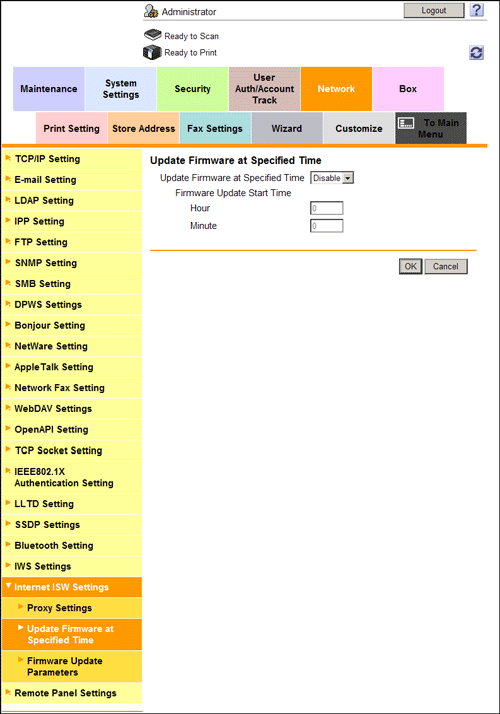
Settings | Description |
|---|---|
[Update Firmware at Specified Time] | Select [Enable] to enable this machine to automatically update the firmware at the specified time. [Disable] is specified by default. |
[Firmware Update Start Time] | Enter the time when this machine should update the firmware automatically. |
Updating the firmware manually
Download a firmware from the Internet to this machine and update the firmware manually.
You can keep using the machine as usual while downloading a firmware.
However, you cannot use this machine while updating the machine firmware. When the firmware updating process has been completed, this machine reboots automatically.
In the administrator mode, select [Network] - [Internet ISW Settings] - [Firmware Update Parameters], then configure the following settings.
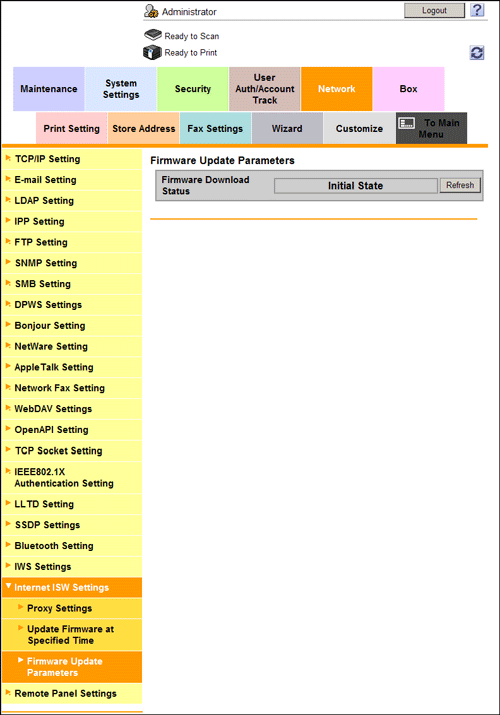
Settings | Description |
|---|---|
[Firmware Download Status] | Displays the status of downloading a firmware. Clicking [Refresh] refreshes the status. |
[Firmware download] | Click this button to download a firmware via the Internet. |
[Delete Firmware] | Click this button to delete the downloaded firmware. |
[Firmware Update Parameters] | Click this button to update the firmware of this machine using the firmware downloaded. |