User's Guide

Importing a certificate
The exported certificate can be imported on this machine.
In the administrator mode, select [Security] - [PKI Settings] - [Device Certificate Setting] - [New Registration] - [Import Certificate], then click [Browse] to specify the certificated to be imported.
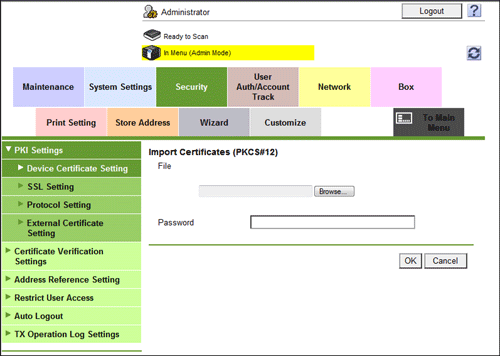
Enter the password (using up to 32 characters), and click [OK].
Enter the password specified when exporting the certificate.
The import result is displayed.